Media Details & Streaming Availability
Tapping any poster card across CineScope opens a comprehensive detail view offering production metadata, cast and crew filmographies, multi-season episode guides, and real-time streaming availability.
Movie Details View
The movie details screen brings together essential information in a clean, visual layout:
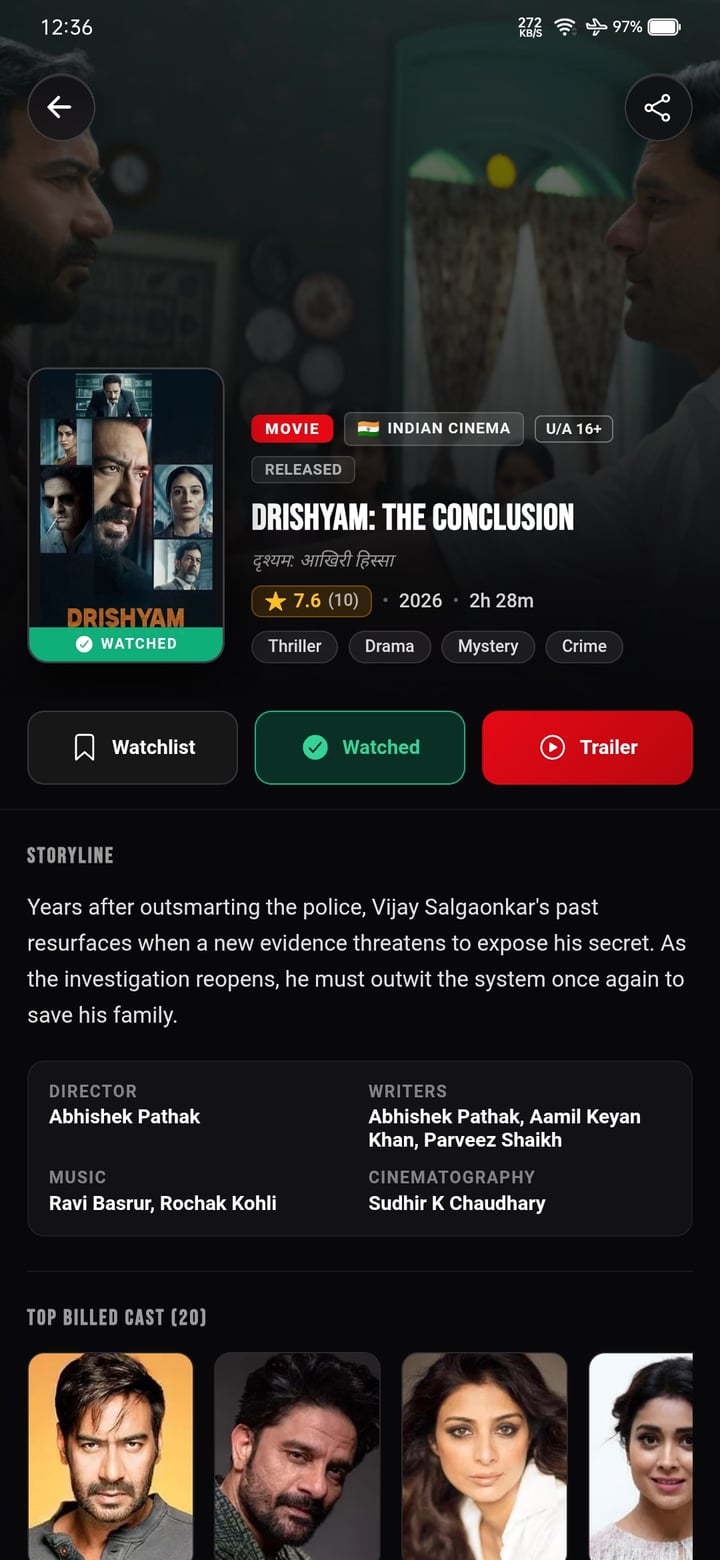
Figure 1: Detailed movie view displaying backdrop imagery, certification badges, runtime, genres, user vote averages, overview synopsis, and full cast carousel.
Information Displayed
- Visual Header: High-definition backdrop, official title poster, and original title.
- Key Metrics: Release year, content rating/certification (e.g., PG-13, R), total runtime in hours and minutes, and user rating score out of 10.
- Genre Pills: Interactive badges representing film genres (e.g., Action, Adventure, Science Fiction).
- Synopsis & Tagline: Official studio summary and promotional tagline.
- Cast & Crew Carousels: Scrollable portrait cards with actor names and character roles. Tapping any actor navigates to their biographical summary and filmography.
TV Series Details & JustWatch Streaming Availability
Television series feature dedicated hubs with real-time streaming provider availability powered by JustWatch data.
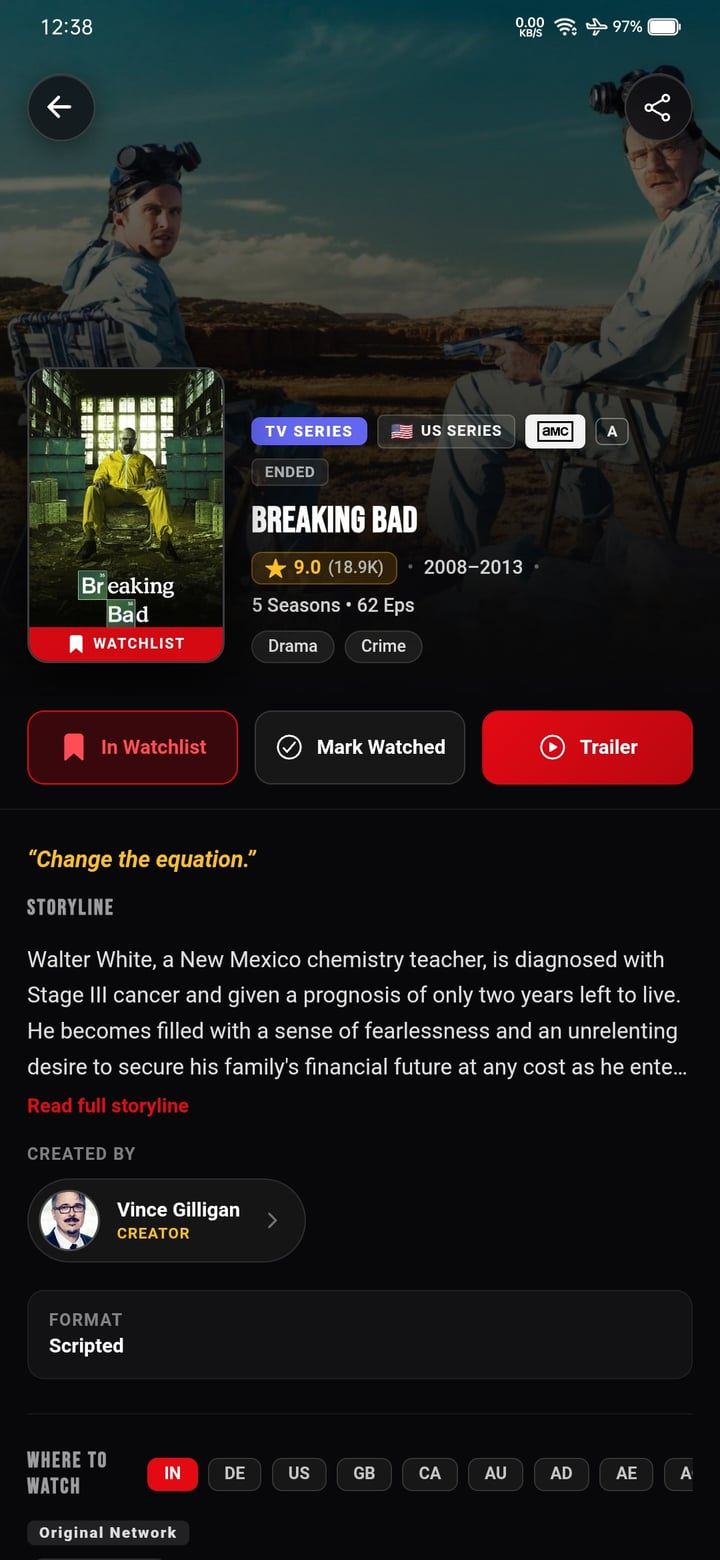
Figure 2: TV series hub showing season count, network origin (AMC), and streaming availability across providers like Netflix.
Streaming Providers (JustWatch Integration)
Never wonder where to watch a movie or series:
- Subscription Services: Direct indicators for platforms included in subscriptions (e.g., Netflix, Amazon Prime Video, Disney+, Apple TV+, Max, Hulu).
- Free Streaming: Ad-supported free streaming platforms.
- Rent & Purchase: Digital storefronts where the title can be rented or bought (Apple TV, Google TV, Amazon Video).
- Country Localization: Streaming data adjusts based on regional availability.
Interactive TV Season & Episode Guide
For television series, CineScope provides an in-depth episode browser:
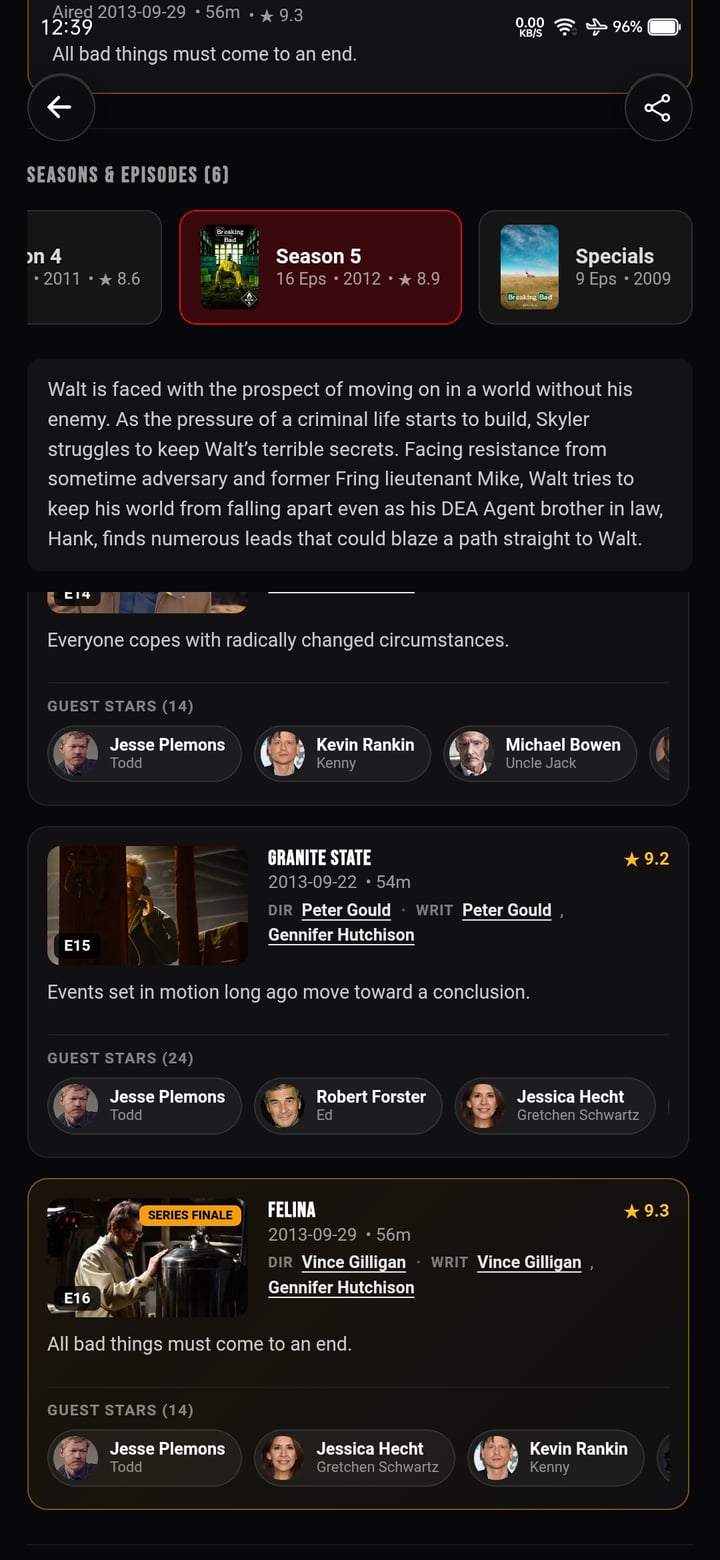
Figure 3: Interactive episode guide displaying season selection, episode air dates, episode titles, individual community ratings, and episode descriptions.
Features of the Episode Guide
- Season Selector: Easily switch between Season 1, Season 2, or special feature releases.
- Episode Stills: High-resolution screenshot still for each individual episode.
- Episode Metrics: Episode number, air date, and independent community vote rating.
- Narrative Synopsis: Spoiler-safe episode storyline summaries.
- Director & Guest Star Badges: Notable guest cast appearances and episode director credits.